

Company data for emails
Before you can send emails to your leads (e.g. automated emails, double opt-in confirmations, or OTP codes), you must provide your company information. This is required by the CAN-SPAM Act to ensure all outgoing emails contain valid sender information and an unsubscribe mechanism.
Why this matters
Every email sent through Riddle on your behalf includes your company details in the footer. This is a legal requirement in most countries and helps your leads trust the emails they receive. Without completing this form, email features like automated emails and double opt-in will not work.
Setup
- Go to the main menu in the top right corner and click on Company data for emails under CUSTOM MESSAGING.
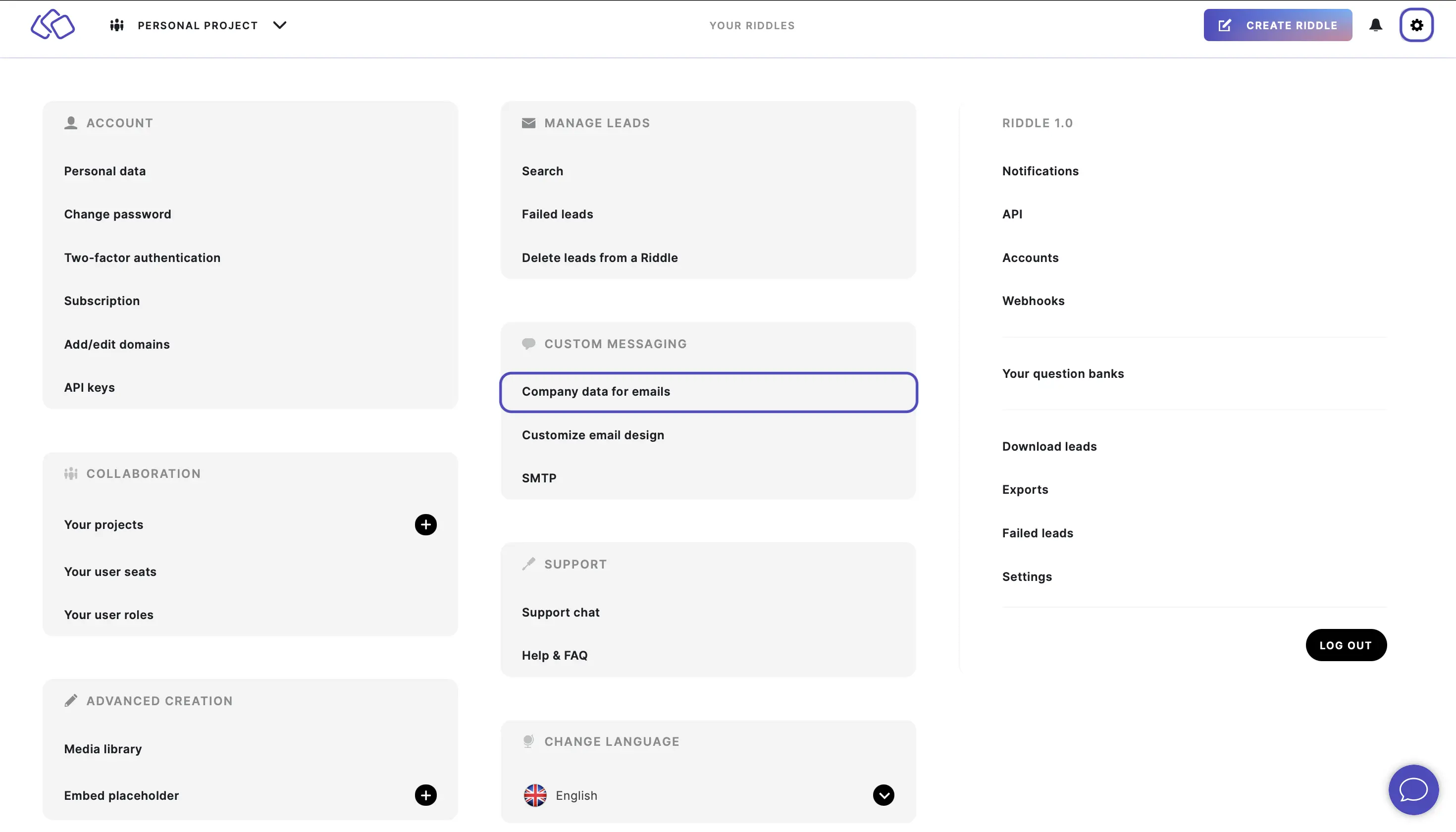
- Fill out all fields and click on SAVE CHANGES.
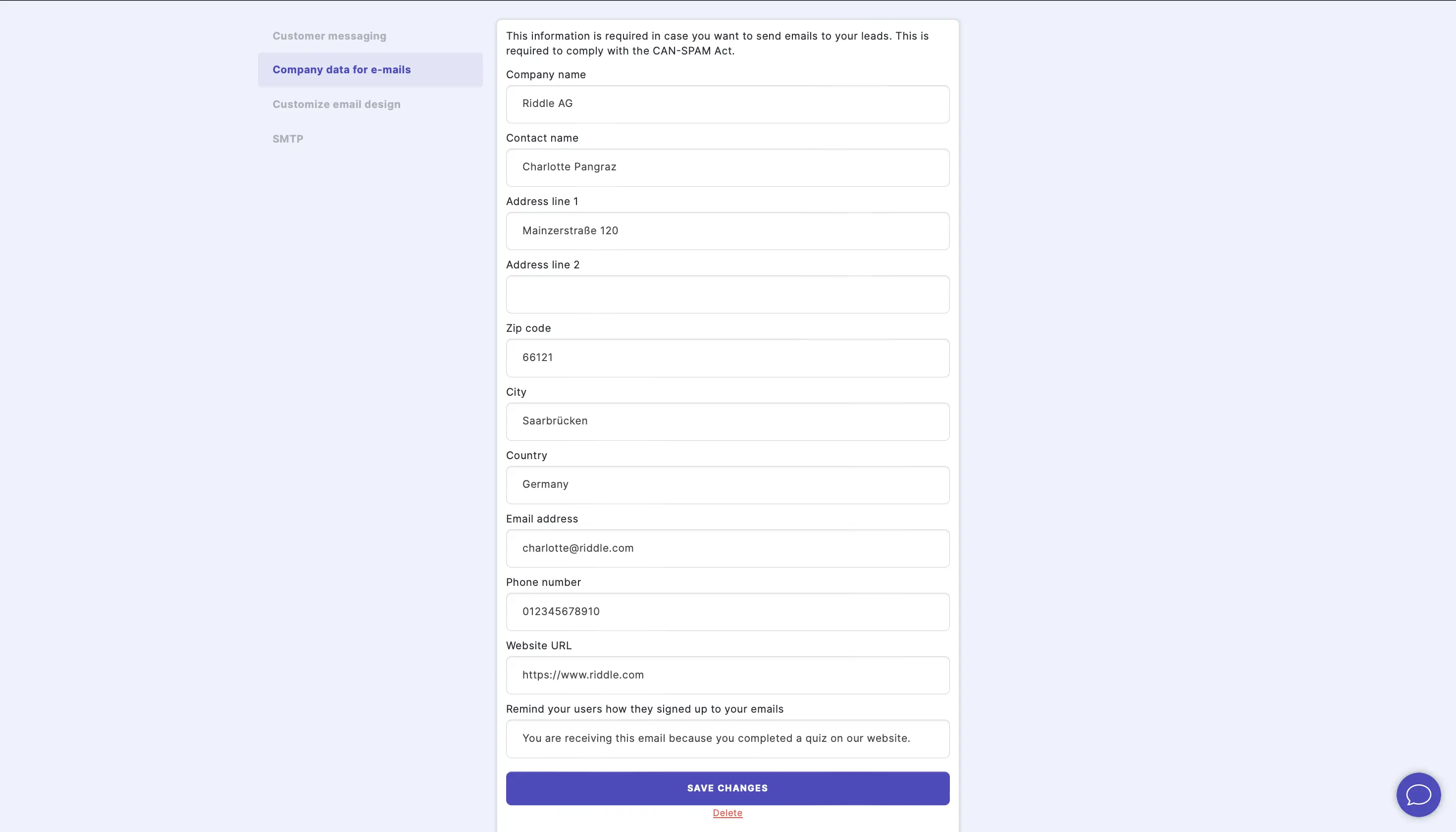
Form fields
| Field | Description |
|---|---|
| Company name | Your company or organization name |
| Contact name | The name of the person responsible for emails |
| Address line 1 | Your company's street address |
| Address line 2 | Additional address information (optional) |
| Zip code | Your postal or zip code |
| City | Your city |
| Country | Select your country from the dropdown |
| Email address | Your company's contact email address |
| Phone number | Your company's phone number |
| Website URL | Your company's website URL |
| Sign Up Reminder | A short text reminding recipients why they are receiving the email. This appears in the email footer. Default: "You are receiving this email because you completed a quiz on our website." |
Next steps
Once your company data is saved, you can:
- Customize your email design to match your brand colors and fonts
- Set up your own SMTP server to send emails from your own domain
- Send automated emails to leads after they complete your Riddle
Table of Contents