

Question Bank
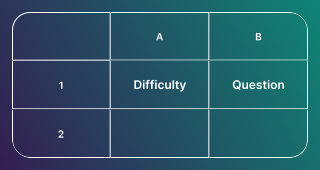
Use a Question Bank to automatically show a random assortment of questions from a pre-built database. For polls and surveys, it's a great way to collect feedback across a wide range of topics without needing to manually create new content every day.
Setup
Before you can use a Question Bank in your poll or survey, you need to create and publish a Question Bank.
Implement the bank in a poll or survey
- Click on ADD A BLOCK and select Question Bank.
- Select your bank: Choose the Question Bank you have already created and published.
- Set parameters: Filter by category or difficulty level, then choose how many questions to display at once (e.g. 5 general knowledge questions and 1 science question).
Configure refresh intervals
The real power of the Question Bank lies in its ability to automatically update the poll or survey for your audience.
- Time-based refresh: Select the gear icon, open options, and choose Time-Based refresh.
- Set the interval: Set a refresh cadence (for example, every hour, every 10 hours, or every 24 hours).
- Continuous engagement: Once the interval passes, the system pulls a new set of questions that match your parameters - keeping your audience engaged with minimal effort.
Use case idea: Combine the Question Bank with rotating poll questions to keep your audience engaged over time. For example, a daily customer satisfaction poll that automatically cycles through different feedback topics.
Related articles
Table of Contents