

Set up DOI via OTP (SMS)
You can also use DOI via one-time password (OTP) codes that are sent via SMS.
- Register your company with WebSMS/LINK Mobility.
- In Riddle, go to Publish and click on Double opt-in (GDPR).
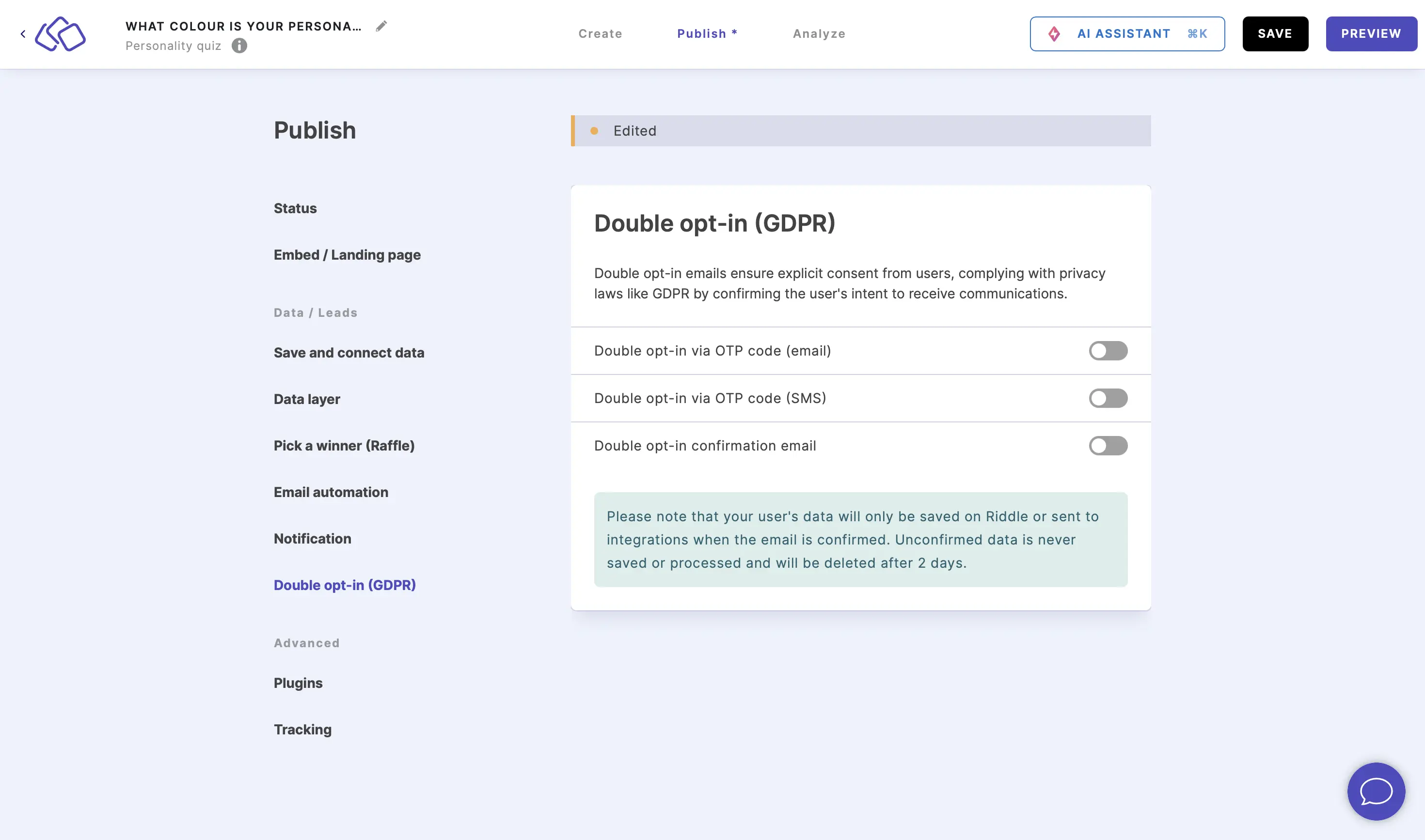
- Enable Double opt-in via OTP code (SMS) or click on EDIT if already enabled.
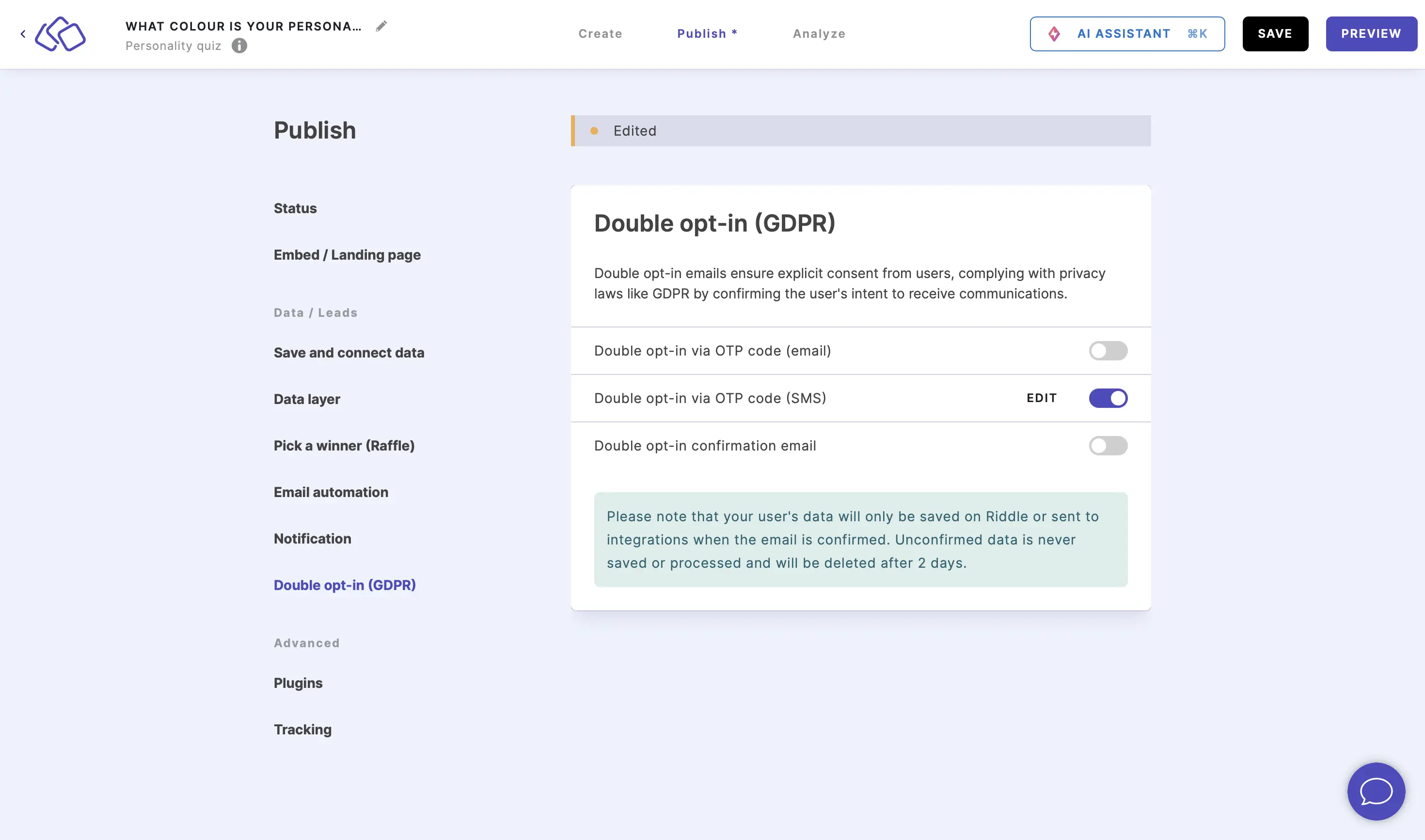
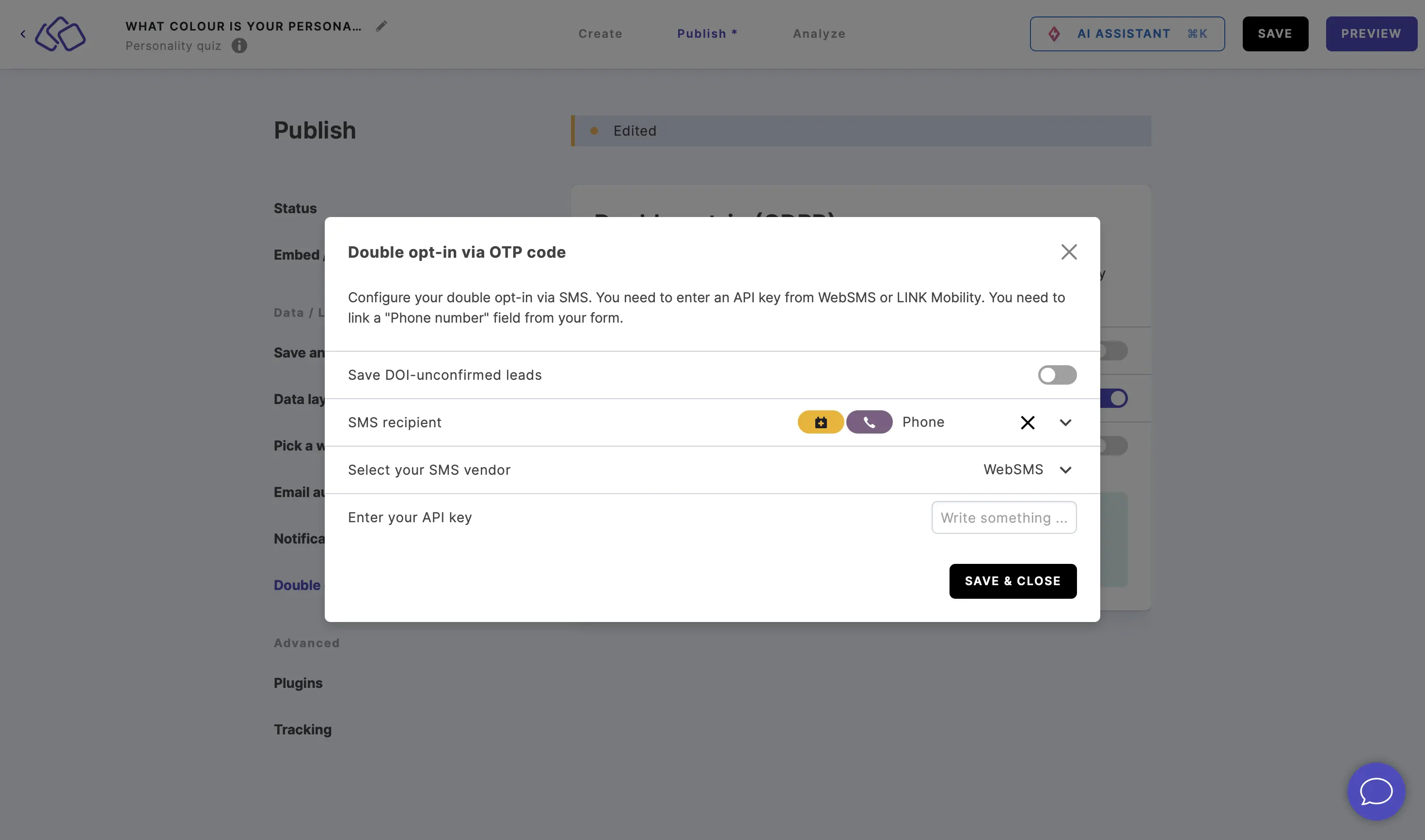
- Select the phone number field for SMS recipient if not already there automatically, select your SMS vendor, enter the API key, and click on SAVE & CLOSE.
- Your audience will then receive an SMS containing an OTP code which they have to enter into the Riddle they are taking part in.
Please note:
You cannot have the OTP verification and DOI SMS active at the same time.
Unconfirmed leads: With OTP, only leads who enter the code are saved. The option Save DOI-unconfirmed leads is not available for OTP. If you need unconfirmed leads too, e.g. for a raffle, use the double opt-in confirmation email instead. Unconfirmed leads you saved with OTP in the past stay in your leads and exports.
If you have your Riddle connected to a leaderboard and enable the OTP verification, your audience will be sent one code that combines the functionality for entering a leaderboard and verification.